
Reframing the AI Song Maker as a “Soundboard for Creators”: Think Less Like a Producer, More Like a Director
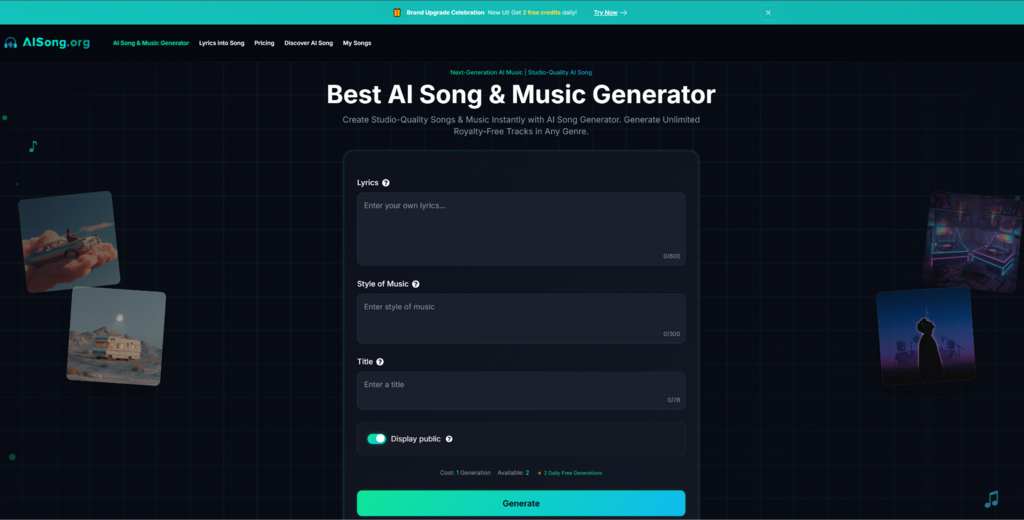
Most conversations around AI music tools focus on production—sound quality, vocal realism, genre fidelity. But after weeks of testing an AI Song Maker across different creative tasks, I realized I had been asking the wrong questions. The mosat useful mental model wasn’t producer. It was director. Not “Can this tool finish my song?” but rather: “Can it show me how my ideas sound, before I commit to them?”
Used this way, the tool acts more like a creative soundboard. You propose a scene; it gives you options. You respond to what you hear. You move forward with clearer intent. This approach doesn’t replace musical instincts—it gives them something to react to.
Why the Director Metaphor Works Better Than the Studio Metaphor
Directors don’t light the set, paint the backdrop, or run the camera. They shape the vision. They explore alternate takes, tweak emotional tone, and pick from options. AI tools—when positioned correctly—support this role:
- Rapidly explore different moods with the same script (or lyrics)
- Compare audio interpretations of a prompt before committing to edits
- Spot misalignments between tone and message early
- Make directional decisions with a team, using audio as a shared reference
What Changed When I Started “Directing” Instead of “Producing”
1. I stopped chasing perfection in a single track.
Instead, I created 3–5 versions of the same scene and judged which one best delivered the idea. Just like choosing different line reads from actors, I wasn’t asking “Is it right?” I was asking “Is it effective?”
2. I started writing prompts like scene direction, not music cues.
Rather than saying “cinematic, epic, ambient,” I began using intent-based phrases:
- “supporting narration for a medical app”
- “emotional shift after product reveal”
- “calm tension under user onboarding”
The AI responded better to purpose than to adjectives.
3. I used constraints like a film set budget.
You don’t get 400 violins in a 30-second YouTube ad. So I gave myself rules:
- no more than 3 main instruments
- no tempo shifts across sections
- chorus must lift without volume spikes
- must loop cleanly under VO
AI Song Creator delivered better drafts when I treated limitations as creative direction.
Three Example Scenes, Three Draft Interpretations
🎬 Scene: Product Reveal, B2B Tech Platform
- Prompt: mid-tempo, clean modern synths, optimistic arc, avoid percussive clutter
- Draft A: gentle arpeggios with light pads, subtle lift at :20
- Draft B: rhythmic piano groove, strong pulse, bold transition at chorus
- Draft C: ambient wash, but too static—lacked directional movement
📝 Decision: Kept B for rhythm, revised chorus lift to delay by 4 bars.
🎬 Scene: Personal Storytelling, Mental Health App
- Prompt: warm guitar + soft ambient textures, restrained, emotional but not sad
- Draft A: intimate fingerpicking with soft swells
- Draft B: bright keys, too cheerful for the script tone
- Draft C: simple pads and vocal hums, effective but lacked dynamic range
📝 Decision: Merged A’s texture with C’s ambient hum idea in follow-up prompt.
🎬 Scene: Ending Montage, Educational Video
- Prompt: consistent tempo, slow build, light orchestration, no sudden shifts
- Draft A: string-based crescendo, subtle percussive heartbeat
- Draft B: harp + synth layers, but looped awkwardly
- Draft C: chord progression nice, but energy spiked too early
📝 Decision: Kept A as-is—surprisingly usable out of the box.
Why This Works for Teams
Creative decisions stall when there’s nothing to react to. By generating multiple “takes” on the same idea, you give teams:
- something to compare,
- something to critique,
- something to approve (or reject) with shared understanding.
Even people without musical vocabulary can say:
“This one feels too heavy for our tone.”
“That chorus works better—can we start from that mood?”
Comparison Table: Directing with AI vs Traditional Approaches
| Decision-making need | Song Maker | Full DAW Workflow | Stock Music |
| Compare multiple tones fast | ✅ Strong | ⚠️ Time-consuming | ⚠️ Limited palette |
| Test “how this idea sounds” | ✅ Fast audio sketches | ✅ But slower | ❌ No editability |
| Collaborate with non-musicians | ✅ Clear audio options | ⚠️ Requires music skills | ✅ Limited |
| Fine control for final mix | ❌ Limited | ✅ Full control | ❌ None |
| Best use case | Idea iteration & direction finding | Precision production | Filler/background use |
Limitations That Actually Help Direction, Not Hurt It
- Inconsistency is a feature, not a flaw—every take sounds a bit different, helping you compare mood and pacing.
- Vocals can feel unpredictable, but that’s a fast way to discover weak spots in lyrics or pacing.
- Generations aren’t always usable, but that’s no different from filming multiple takes and choosing one good angle.
Pro Tip: Always Brief With the Job, Not the Genre
Try writing:
“Music that supports a testimonial about overcoming anxiety, needs to be calming but carry emotional movement, no vocals, must loop cleanly.”
Instead of:
“Lo-fi, chill ambient cinematic with pad textures.”
One of those is direction. The other is aesthetics.
Closing: You Don’t Need to Produce—You Just Need to Hear
The AI Song Maker isn’t here to replace the producer. It’s here to serve the director. In my experience, it gives just enough fidelity to move your idea from in your head to in your ears. And once it’s in your ears, you can choose what to do next—iterate, hand off, or commit.
That’s not automation. That’s acceleration—with taste.