
AI Music Agent: A “Creative Brief” for Music—So Your Track Matches Your Intention Before You Hit Generate
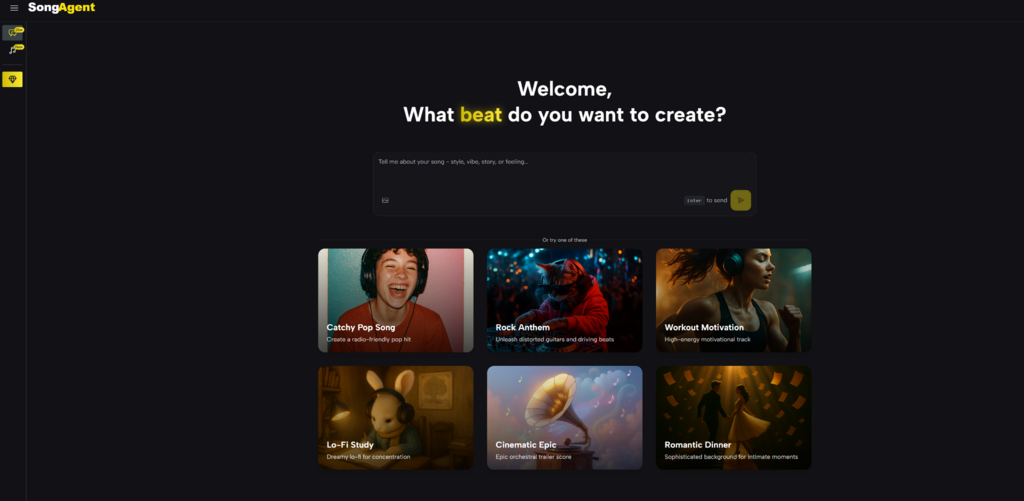
You’ve probably had this happen: you type a prompt, press generate, and the result is… fine. But it’s not what you meant. The groove is wrong, the build arrives too early, the “uplifting” part sounds anxious, or the track feels too busy to sit under voiceover. In my own testing, the biggest time-sink wasn’t the generation itself—it was the loop of correcting misunderstandings after the fact. What changed the experience for me was using a workflow that behaves more like a collaborator than a slot machine. That’s where AI Music Agent has been useful: it translates your description into a clear plan first, then lets you iterate with intent instead of trial-and-error.
The Hidden Cost of AI Music: “Prompt Drift”
When you generate repeatedly, two things tend to happen:
- The output drifts away from the original vibe.
- Your revisions become vague (“make it cooler”), which increases randomness.
Why drift happens
Most systems jump straight from text to audio. If the first interpretation is off, every “fix” becomes a new interpretation. Over a few generations, you’re no longer steering—you’re chasing.
A simpler way to think about it
Music has multiple layers of intent: structure, energy arc, instrumentation, and mix space. If a tool doesn’t confirm those layers early, you pay for alignment later.
Where AI Music Agent feels more grounded
Instead of making you guess how it understood your prompt, it surfaces a blueprint you can check and adjust.
My personal takeaway
I started wasting fewer generations on tracks that were never going to fit my use case—especially for content that needs clean pacing and an obvious ending.
How AI Music Agent Works (Practical, Not Magical)
1) You describe the outcome, not just the genre
I tend to write prompts that include the job the music needs to do:
- “30-second intro cue for a product demo—confident, modern, clean ending.”
- “Warm lo-fi bed under narration—minimal melody, steady motion.”
2) You review a blueprint before rendering
This is the step that changes the economics of iteration. The blueprint typically clarifies:
- arrangement and section flow (intro/verse/chorus/bridge/outro)
- tempo and tonal direction
- instrument palette
- style cues (how it intends to deliver the mood)
In my tests, this blueprint check was where I caught mismatches early—like a tempo that was too fast for a voiceover bed, or an instrument choice that made the track feel too bright.
3) You generate, then refine with targeted edits
Once the blueprint is aligned, edits become more precise:
- “More lift in the chorus, but keep the verse restrained.”
- “Reduce percussive density; leave room for speech.”
- “Make the outro resolve more clearly—no fade.”
4) You export for real use
Depending on your workflow, you may need:
- MP3 for quick editorial use
- WAV for higher-quality production
- optional separation/stems for rearranging or mixing
Why the Blueprint Step Matters More Than It Sounds
A lot of tools promise “creative freedom,” but freedom without direction can feel like noise. The blueprint step acts like a creative brief for music.
Before vs. After
- Before: prompt → surprise output → fix → re-roll → drift
- After: prompt → blueprint alignment → generate → refine → export variants
A metaphor that fits
It’s like getting a sketch before a painting. A sketch doesn’t replace the painting, but it prevents you from commissioning the wrong scene.
Comparison Table: What You Actually Care About When Shipping Music
| What you need to ship | AI Song Agent | Typical “prompt-to-music” tool | Traditional DAW-only |
| Confirm direction before generation | Blueprint review | Usually missing | Manual planning |
| Iteration style | Conversational refinements | Re-roll heavy | Precise edits |
| Consistency across multiple tracks | Easier to maintain | Often drifts | Strong, but slow |
| Deliverables for different contexts | Variants and exports | Varies | Full control |
| Best fit | Creators who want speed plus steering | Quick experiments | Deep production work |
Where I’ve Found It Most Useful
1) Voiceover-first content
If your audio needs to support narration, you need mix space and predictable energy. The blueprint helps you define that up front.
2) Repeatable sound for a channel or product
Consistency is hard when every prompt is a fresh start. A blueprint approach gives you reusable constraints: tempo range, palette, structure rhythm.
3) Tight turnaround projects
When you’re racing a deadline, you don’t want ten “almost right” versions. You want one solid direction and a few purposeful variants.
A More Realistic View: Limitations That Make the Results More Trustworthy
No AI music system is effortless magic, and it’s better to treat it like a fast draft engine.
Outputs can vary with prompt quality
If your prompt is vague, the track can be generic. More constraint usually improves reliability.
Some tracks require multiple generations
In my own use, two to three passes is common for anything with a specific emotional contour or a strong hook.
Separation and stems aren’t always studio-clean
When you use any separation workflow, artifacts can happen. It’s often good enough for editing and arrangement, but not always identical to a multi-track studio session.
A Prompt Pattern That Gives Me Better First Results
The “Three Anchors” approach
- Purpose: where the track will live (intro, bed, montage, reveal)
- Energy curve: how it should move (steady, building, drop, resolve)
- Palette: what instruments define the identity (and what to avoid)
Example prompt
“Create a 35–45s modern electronic cue for a product walkthrough. Calm intro, confident lift at 15s, clean ending. Tight kick, smooth bass, airy pads. Avoid busy leads and harsh highs. Leave space for voiceover.”
How to Use AI Music Agent Without Over-Iterating
1) Lock the non-negotiables
Tempo range, palette, energy curve.
2) Make small edits, not broad rewrites
Instead of “make it better,” ask for one change:
- “less percussion”
- “stronger lift”
- “cleaner outro”
3) Test in context
A track that sounds great alone can clash under narration or SFX. Always evaluate it where it will be used.
Conclusion
If your biggest frustration with Song Agent that it often feels unpredictable, the blueprint-first workflow is a practical shift. AI Music Agent doesn’t remove the need for taste, but it helps you align intent early, iterate with clarity, and produce outputs that are easier to use in real projects.