
How to Read and Manage Barcode Expiry Dates in Retail & Grocery Stores
TL;DR: A barcode expiry date system lets retail and grocery staff scan product barcodes to instantly retrieve or log expiration dates — eliminating manual checks and reducing the risk of selling expired goods. Setting up a reliable workflow takes minimal time and dramatically cuts both waste and compliance risk.
The Hidden Cost of Getting Expiry Dates Wrong
Most grocery stores lose more money to expired products than they realize. Some of it shows up in waste reports. The rest quietly disappears — returned items, customer complaints, staff hours spent on manual shelf checks that still miss things.
The root problem is almost always the same: teams rely on human eyes to catch expiry dates, and human eyes get tired, distracted, and rushed. A barcode expiry date system removes that single point of failure. This guide explains exactly how these systems work, how to set one up, and how to avoid the mistakes that make them less effective than they should be.
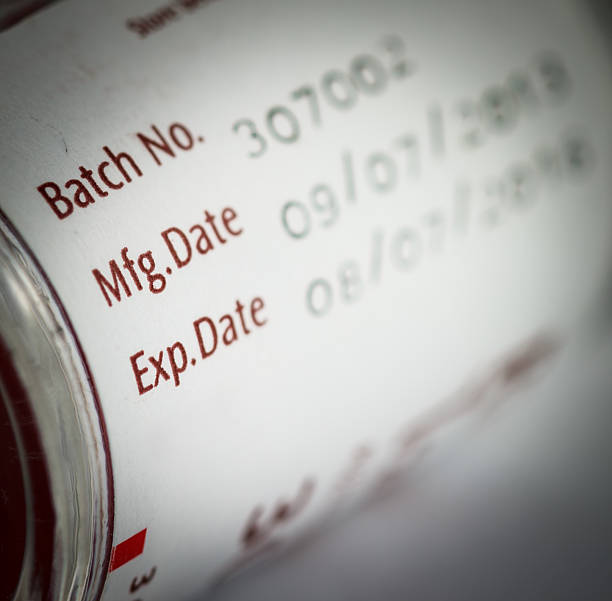
What Is a Barcode Expiry Date and How Does It Work?
A barcode expiry tracker refers to the method of linking a product’s expiration information to its barcode — either embedded in the barcode itself or stored in a connected database that the barcode retrieves.
When a staff member scans the barcode, the system instantly surfaces the expiry date tied to that product. Depending on how the system is configured, it can display the date, trigger an alert if the product is near expiry, or log the scan for compliance records.
Does a Standard Barcode Contain the Expiry Date?
This is one of the most common points of confusion — and it’s worth clearing up properly.
Standard retail barcodes (UPC-A and EAN-13) do not contain expiry date information. They encode the manufacturer and product ID only. The expiry date has to come from somewhere else — either a separate label, a database lookup, or a more advanced barcode format.
Here’s how different barcode types handle expiry data:
| Barcode Type | Contains Expiry Date? | Common Use Case |
| UPC-A / EAN-13 | No | Standard retail products |
| GS1-128 | Yes (via AI 17 field) | Food manufacturing, logistics |
| QR Code | Yes (if encoded) | Specialty products, DTC brands |
| DataMatrix | Yes (if encoded) | Pharmaceuticals, medical devices |
| ITF-14 | No | Outer carton shipping |
Expert Tip: GS1-128 barcodes use Application Identifier (AI) 17 to encode expiry dates in YYMMDD format. If your suppliers use GS1-128 labels on cases or pallets, your scanner can extract dates directly — no database lookup needed. Ask your key suppliers whether they use GS1 standards on inbound shipments.
How to Set Up a Barcode Expiry Date System in Your Store
Step 1 – Understand What Your Current Barcodes Can Tell You
Before buying any hardware or software, spend 30 minutes scanning a sample of your products with a GS1 barcode reader app. This tells you immediately which items carry embedded date data and which ones need a database approach.
In practice, most retail grocery stores find that packaged goods from large manufacturers use GS1-128 on case-level packaging but standard UPC on individual units. That means unit-level expiry tracking almost always requires a database — not just a scanner.
Step 2 – Choose Your Scanning Method
There are three main approaches, each suited to a different operation size:
Option A: Mobile App with Built-In Database Staff use a smartphone or tablet to scan barcodes. The app looks up the product and prompts staff to confirm or enter the expiry date. Dates are stored in the cloud and alerts fire automatically.
Best for: Independent stores and small chains.
Option B: Dedicated Handheld Scanner + Software A purpose-built handheld device syncs with inventory management software. Faster than a phone, more durable, better for high-volume environments.
Best for: Mid-size supermarkets and stores with large SKU counts.
Option C: Integrated POS + Expiry Module Expiry data ties directly into your point-of-sale and inventory system. Every scan at checkout cross-references the expiry database. Flags appear if someone tries to sell an expired item.
Best for: Larger chains and distributors with existing inventory platforms.
Step 3 – Build Your Product Expiry Database
This is the step most stores underestimate. You need a record linking each product’s barcode to its shelf life — either in days from receipt, or as a manually entered date per batch.
The fastest way to build this database:
- Scan every product in your current inventory using your chosen tool
- Enter expiry dates from the physical packaging for each item
- For products received regularly, set a default shelf life so future batches auto-populate
- Flag any items already within 7 days of expiry for immediate action
A well-stocked grocery store with 3,000–5,000 SKUs can complete this initial setup in 2–3 days if one or two staff members focus on it exclusively.
Expert Tip: Prioritize high-turnover and short-life categories first — dairy, deli, fresh bakery, and refrigerated ready meals. These are where expired product complaints happen most often. Build out dry goods and longer-life products in the weeks after launch.
Step 4 – Configure Your Alert Thresholds
Alert thresholds determine when your system notifies you about approaching expiry dates. Getting these right is more important than most stores realize.
Recommended thresholds by category:
- Fresh produce, dairy, ready meals: 3-day and 5-day alerts
- Packaged refrigerated goods: 5-day and 7-day alerts
- Dry goods, canned, frozen: 14-day and 30-day alerts
- Health and beauty: 30-day and 60-day alerts
Setting all alerts to 3 days might seem safe, but it creates alert fatigue — staff start ignoring notifications because there are too many. Category-specific thresholds keep alerts meaningful.
Step 5 – Train Staff on the Check Expiry Date Scanner Workflow
Training should happen on the actual device in the actual environment. A 20-minute walkthrough beats a written manual every time.
Cover these four things:
- How to scan a product and read the expiry result
- What to do when an alert fires (pull, discount, donate, or dispose — per your policy)
- How to enter a date manually when the scanner can’t read a label
- Who to report to when they find a systemic issue (same product expiring repeatedly)
Assign a designated “expiry lead” per shift. This person owns the daily check and escalates anything unusual. Without assigned ownership, expiry management becomes everyone’s responsibility — which means it becomes no one’s.
How an Expiry Date Check Scanner Improves Daily Operations
Beyond compliance, a well-used expiry date check scanner changes how your store operates day to day.
Faster shelf checks. What used to take 60–90 minutes of manual reading now takes 10–20 minutes of scanning. Staff move faster and cover more ground.
Better stock rotation. When every item has a logged date, FIFO (first in, first out) rotation becomes enforceable — not just a guideline on a poster.
Smarter purchasing. Over time, your expiry data reveals patterns. If the same products hit 3-day alerts week after week, you’re over-ordering. Feed this data to your purchasing team and over-ordering becomes a solvable problem rather than a recurring cost.
Audit-ready records. Digital expiry logs with timestamps satisfy food safety inspection requirements far better than paper checklists. Users report that having digital records significantly reduces the time spent preparing for environmental health inspections.
Expert Tip: Export your weekly waste report and review it every Monday morning. Look for three things: which categories generate the most waste, whether waste is increasing or decreasing week-on-week, and whether the same SKUs appear repeatedly. These three data points drive 80% of the purchasing and placement improvements available to you.
Common Mistakes Stores Make With Barcode Expiry Date Systems
Assuming the barcode contains the date. Most retail barcodes don’t. Setting up a system without understanding this leads to gaps — products that “scan fine” but have no date in the system.
Skipping the database build. Buying a scanner without populating the product database means staff have nothing to look up. The scanner becomes a glorified barcode reader rather than an expiry management tool.
Using one alert threshold for everything. A 3-day alert makes sense for yogurt. It creates panic for canned goods. Blanket thresholds generate noise and get ignored.
Only scanning the sales floor. Expired product lives in stockrooms, walk-in coolers, and delivery areas. A complete system covers all locations — not just the shelf-facing inventory.
Letting the data sit unused. The expiry system generates purchasing intelligence every week. Stores that review their waste reports and act on patterns see compounding improvements. Stores that ignore the data just have a more expensive version of their old manual system.
Barcode Expiry Tracking Methods: A Direct Comparison
| Method | Setup Time | Cost | Best For | Limitation |
| Manual date checking | None | Zero | Very small stores | Slow, error-prone, no records |
| Mobile app + barcode scan | 1–3 days | Low | Independent stores | Relies on staff consistency |
| Handheld scanner + software | 3–5 days | Moderate | Mid-size supermarkets | Hardware cost, training needed |
| Integrated POS system | 1–4 weeks | High | Large chains | Complex setup, IT dependency |
| GS1-128 with embedded dates | Minimal | Low (if suppliers use it) | Distribution and wholesale | Requires supplier compliance |
Conclusion
Barcode expiry date management is one of those operational improvements that pays back quickly and keeps paying. The initial setup — choosing a scanning method, building your database, configuring alerts, and training staff — takes a few days. The benefits compound over months and years.
Start with your highest-risk categories. Get the alerts configured properly. Assign ownership per shift. Then let the data work for you — use the waste reports to improve ordering, and watch the same products stop appearing on your expired list week after week.
If you’re still relying on manual date checks, the gap between what you’re spending on labor and waste now versus what a scanner-based system costs is almost certainly larger than you expect. The right time to close that gap is before the next inspection — not after.
Frequently Asked Questions
Q1: Does a barcode contain the expiry date of a product? Standard retail barcodes like UPC-A and EAN-13 do not contain expiry date information — they only encode the manufacturer and product ID. However, GS1-128 barcodes used in food manufacturing and logistics can include expiry dates using Application Identifier 17. For most retail products, expiry dates need to come from a separate database linked to the barcode.
Q2: How does a check expiry date scanner work in a grocery store? A check expiry date scanner reads a product’s barcode and cross-references it against a database that stores the product’s expiry date. When a match is found, the system displays the date and triggers alerts if the product is within the configured warning window. Some advanced systems use OCR to read printed dates from labels directly, without needing a database entry.
Q3: What is the best barcode format for encoding expiry dates? GS1-128 is the most widely used barcode format for encoding expiry dates in retail and food distribution. It uses Application Identifier 17 to store the date in YYMMDD format. QR codes and DataMatrix codes can also encode expiry information and are common in pharmaceuticals and specialty food products.
Q4: How do retail stores handle products with no barcode expiry date? For products where the barcode doesn’t contain expiry data, stores typically use a database-driven approach — staff scan the barcode to pull up the product record and manually enter or confirm the expiry date from the physical packaging. Some stores also use supplementary labels with printed or QR-coded dates applied at the point of delivery.
Q5: Can an expiry date check scanner help with food safety compliance? Yes. Digital expiry scanning systems create timestamped records of every check and product pull, which provides a clear audit trail for food safety inspections. This is significantly stronger evidence of compliance than paper logs, which can be incomplete or difficult to verify. Many environmental health authorities accept digital records as primary compliance documentation.