
Chatting With AI Shouldn’t Mean Handing Over Your Conversations

Text-based AI assistants have become the go-to tool for brainstorming, drafting, and answering quick questions throughout the day. What gets less attention is where those conversations actually go once you hit send. Most mainstream chatbots log every exchange on a remote server, sometimes retaining it indefinitely for training or analysis purposes.
Local ai chat offers a different path. By running the language model directly on your own hardware, every question and answer stays contained to your device, with no external company reviewing the transcript. This piece covers what makes local chat tools genuinely usable today, and how to set one up without needing deep technical expertise.
The Real Difference Between Cloud Chatbots and Local Alternatives
Cloud chatbots trade convenience for data exposure. Every message is transmitted to a company’s infrastructure, processed there, and often stored for an undefined period. Even with privacy settings enabled, you’re relying entirely on that company’s word that your data is handled the way they claim.
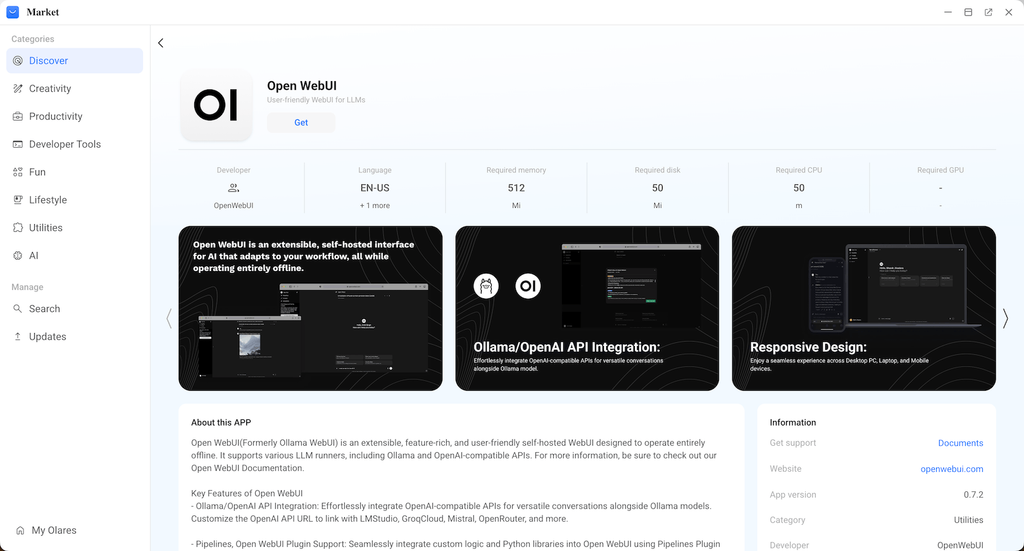
A locally hosted chat interface removes that dependency completely. The model runs on your own machine, meaning there’s no network request carrying your conversation to a third party. This distinction becomes especially relevant for professionals who discuss confidential business matters, or anyone who simply prefers not to have years of personal conversations sitting on a corporate server indefinitely.
Setting Up a Private Chat Interface With Open WebUI
Open WebUI has become a popular choice for people wanting a clean, familiar chat experience without relying on a cloud provider’s interface.
Choosing a Model That Matches Your Hardware
Not every AI model needs a powerful workstation to run smoothly. Smaller models perform well on modest hardware and are often sufficient for everyday writing, summarizing, and general Q&A tasks. Reserve larger models for machines with more available memory, since running an oversized model on limited hardware tends to produce sluggish, frustrating responses.
Getting the Interface Running Without Command Lines
Deploying Open WebUI manually typically involves container management and configuration files that intimidate non-technical users. Self-hosted platforms simplify this by bundling the setup into a guided installation process, letting you have a working chat interface running in the time it takes to configure a new phone.
Making Local Chat Part of Your Daily Routine
Once installed, the interface behaves much like any familiar chatbot, with the added benefit of full data control.
Organizing Conversations for Long-Term Use
Local chat tools typically support saved conversation threads, letting you build an organized archive of past brainstorms, drafts, and research without a subscription tier limiting how much history you can keep. This is particularly useful for anyone using AI regularly for work, since past conversations can be revisited without the risk of a provider deleting old chat logs during a policy update.
Extending Functionality Over Time
Many local chat setups support add-ons for document search, custom instructions, and integration with other self-hosted tools. Platforms such as Olares are built to host this kind of extensible local ai chat environment alongside other personal applications, so the chat tool becomes one piece of a broader private setup rather than an isolated app.
Keeping Your Conversations Where They Belong
Moving to a local chat setup takes a bit of initial configuration, but the result is an AI assistant that behaves the same way a cloud chatbot does, minus the constant data transmission to an outside server. For anyone who has grown wary of where their daily conversations end up, that trade-off is well worth the setup time.
As self-hosted tools continue to improve in ease of use, running your own chat interface is becoming a realistic option rather than a niche technical project, giving everyday users a genuine alternative to the default cloud experience.