
Getting Started with iTop Easy Desktop: First Steps to Declutter Your Computer
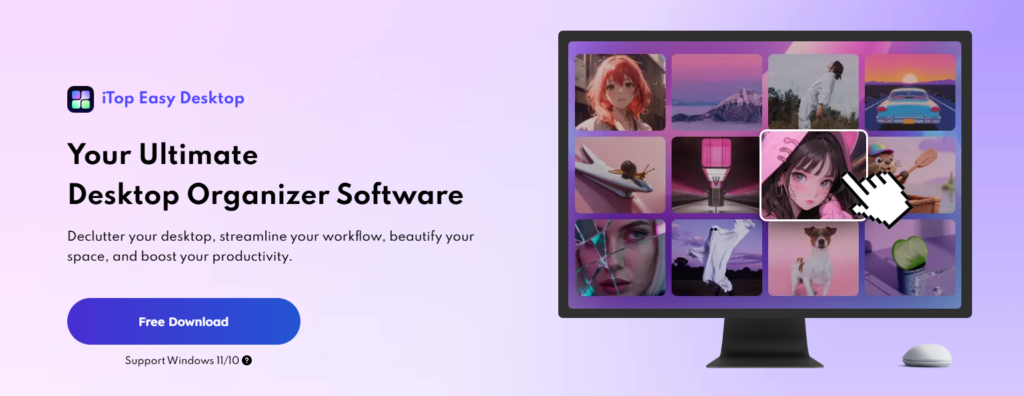
Most people don’t intentionally let their desktops become chaotic—it just happens. A file saved here for convenience, a screenshot there for later, a shortcut that feels too useful to delete. Over time, the desktop turns into a crowded mix of documents, folders, icons, and reminders that compete for attention. Cleaning it up manually often feels like a temporary fix rather than a real solution.
This is where iTop Easy Desktop quietly changes the experience. Instead of asking users to reorganize everything from scratch or learn a complicated system, it works with the way people already use their computers. The goal isn’t perfection—it’s control, clarity, and a desktop that stays organized without constant effort.
If you’re just getting started with iTop Easy Desktop, this guide walks through what it actually does, how it feels to use, and why it makes decluttering your computer far easier than expected.
Turning a Messy Desktop into a Usable Workspace
One of the first things users notice after enabling iTop Easy Desktop is how quickly the desktop feels calmer. Files aren’t removed or hidden away—they’re simply grouped in a way that makes sense. Instead of dozens of loose icons, items are organized into Boxes that live directly on the desktop.
These Boxes act as smart containers, automatically sorting files based on rules such as file type or usage. Documents, images, shortcuts, and temporary files no longer mix together. Everything still stays visible and accessible, but the visual noise is dramatically reduced.
What makes this system feel natural is how little effort it requires. Files dropped onto the desktop are automatically sorted, and Boxes adjust themselves as content changes. You’re not constantly rearranging things or fixing broken layouts—it just works in the background.
Personalizing the Desktop Without Extra Effort
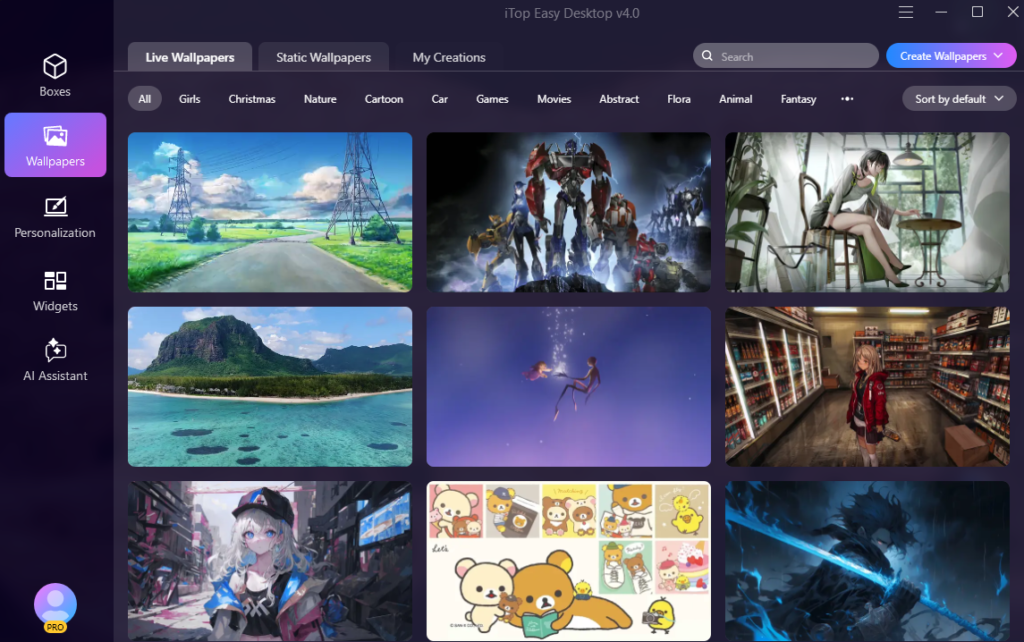
Organization is only one part of a comfortable workspace. Visual consistency and personalization also play a role in how enjoyable a desktop feels. iTop Easy Desktop makes customization simple without overwhelming users with settings.
The Wallpaper module provides access to a massive library of over 20,000 wallpapers, including both static and live options. New wallpapers are updated regularly, giving users fresh choices without manual searching. For those who want something more personal, the wallpaper creation feature allows users to generate custom backgrounds in a single click or upload their own designs.
Beyond wallpapers, the Personalization offers one-click control over system-wide aesthetics. Themes, taskbar style, Start Menu appearance, desktop icons, and even mouse settings can be unified instantly. This makes it easy to maintain a consistent look across the entire system without digging through Windows settings.
Widgets That Actually Support Daily Work
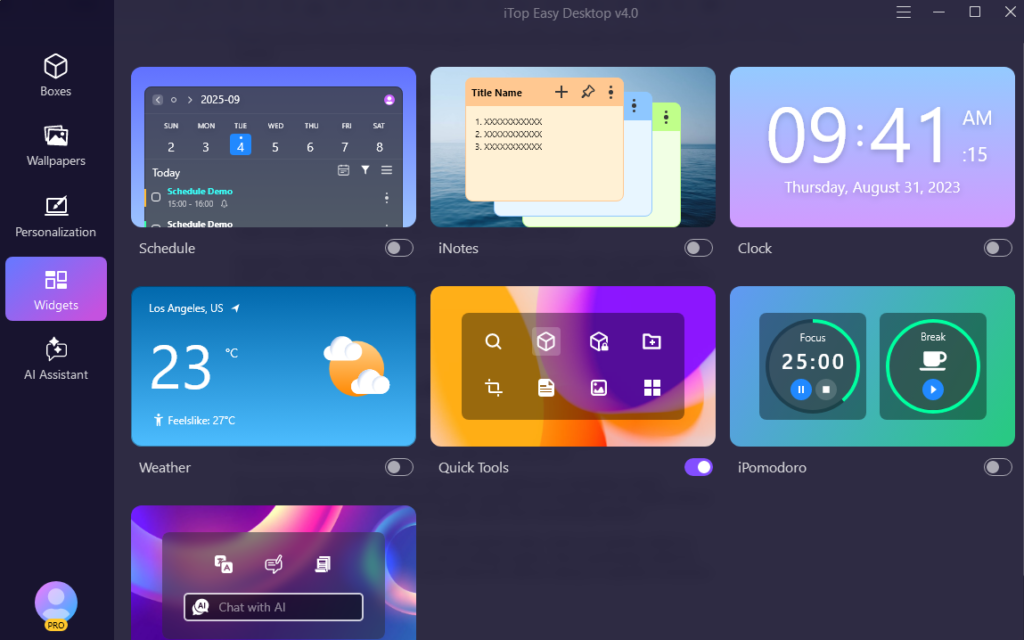
Desktop widgets are only useful when they don’t become cluttered themselves. iTop Easy Desktop takes a practical approach by focusing on widgets that support real workflows rather than flashy visuals.
The Schedule widget provides a clear, structured view of tasks and upcoming events. What sets it apart is its ability to sync seamlessly with Google Calendar and Outlook, allowing users to manage deadlines and appointments without opening separate apps. iPomodoro can enhance your focus with the popular Pomodoro timer, alternating work sessions and breaks to maximize efficiency. Tasks are visible at a glance, helping users stay on track throughout the day.
Alongside scheduling, iNotes adds a flexible space for reminders, ideas, and quick notes. Unlike basic sticky notes, iNotes supports rich text formatting and more flexible organization. Notes can be grouped, edited easily, and kept accessible without covering the entire desktop.
Together, these widgets turn the desktop into an active workspace—not just a place to store files.
Built-In AI Assistance Right on the Desktop
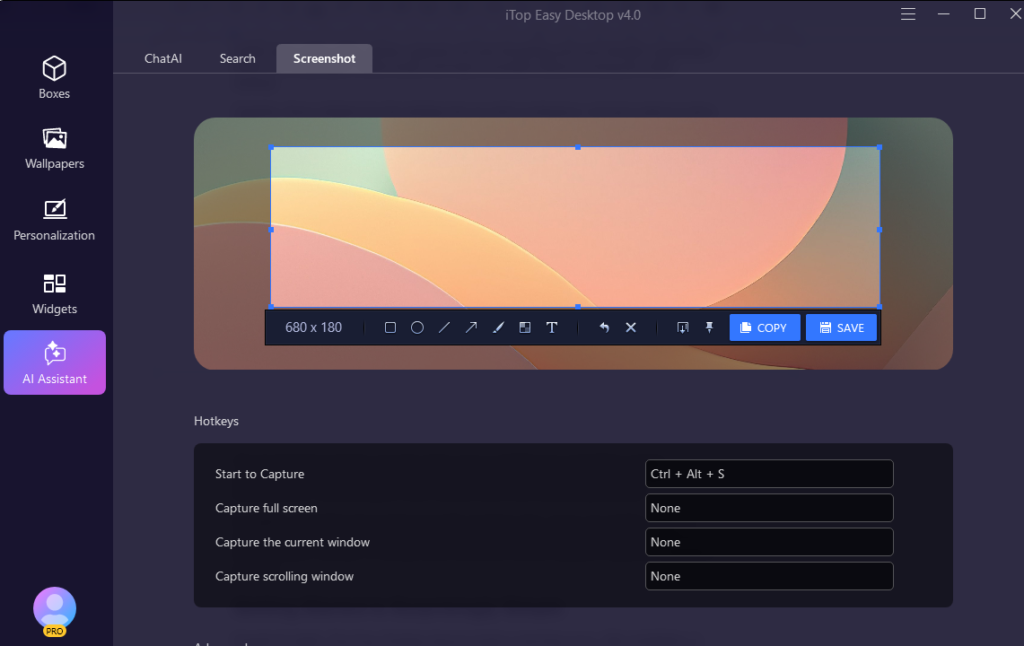
One of the most noticeable upgrades in iTop Easy Desktop is the integration of an AI Assistant directly into the desktop environment. Instead of switching between browser tabs or external tools, users can access ChatAI right where they work.
The AI Assistant supports everyday tasks such as drafting text, translating content, summarizing information, and answering quick questions. It’s designed to be helpful without being intrusive, offering support when needed rather than demanding attention.
In addition, the built-in Screenshot tool adds practical value. Users can quickly capture a specific window, the entire screen, or even scrolling content. This is particularly useful for documentation, tutorials, or saving visual references without relying on separate screenshot software.
Getting Started Is Surprisingly Simple
Despite its depth, iTop Easy Desktop doesn’t require a learning curve. After installation, it begins organizing the desktop automatically. Existing files are grouped into Boxes, layouts are aligned, and widgets can be added or adjusted with just a few clicks.
Most features are intuitive enough to explore naturally, and users can customize as much—or as little—as they want. Whether you prefer full control or a mostly automated setup, the software adapts to your comfort level.
Who iTop Easy Desktop Is Best For
iTop Easy Desktop fits a wide range of users. Professionals benefit from a cleaner workspace that reduces distractions and improves focus. Students can keep assignments, notes, and schedules visible without clutter. Casual users enjoy a desktop that stays organized without constant maintenance.
Rather than forcing users into a strict system, the software provides a structure that adapts over time. As habits change, the desktop evolves with them.
Conclusion: A Smarter Way to Declutter Your Computer
Decluttering doesn’t have to mean constant cleanup sessions or rigid rules. With iTop Easy Desktop, organization becomes something that happens naturally in the background. Smart Box management, useful widgets, built-in AI assistance, and easy personalization work together to create a desktop that feels calm, efficient, and personal.
For anyone looking to take the first step toward a cleaner computer—and keep it that way—iTop Easy Desktop offers a practical and refreshingly human solution.